Best Ergonomic Office Chairs for Home Office
Compare top ergonomic office chairs for home offices, from premium mesh task chairs to budget and compact armless picks.
As an Amazon Associate I earn from qualifying purchases. Affiliate links may earn us a commission at no extra cost to you. Read our disclosure.
Quick Picks
Chosen from published specifications, manufacturer documentation, and owner feedback—not hands-on testing. Amazon links are coming soon.
Branch Ergonomic Chair
A mesh-back chair designed for all-day comfort with eight points of adjustment, a strong warranty, and a straightforward setup that fits most home desks.
SIHOO M18 Ergonomic Office Chair
A budget-friendly mesh chair with dual-adjustable lumbar support and a high weight rating, making it a practical starting point for a home office on a tight budget.
MOLENTS Armless Task Office Chair
A compact, armless mesh chair built to slide fully under a desk, making it a good fit for small home offices, dorms, or tight workstation corners.
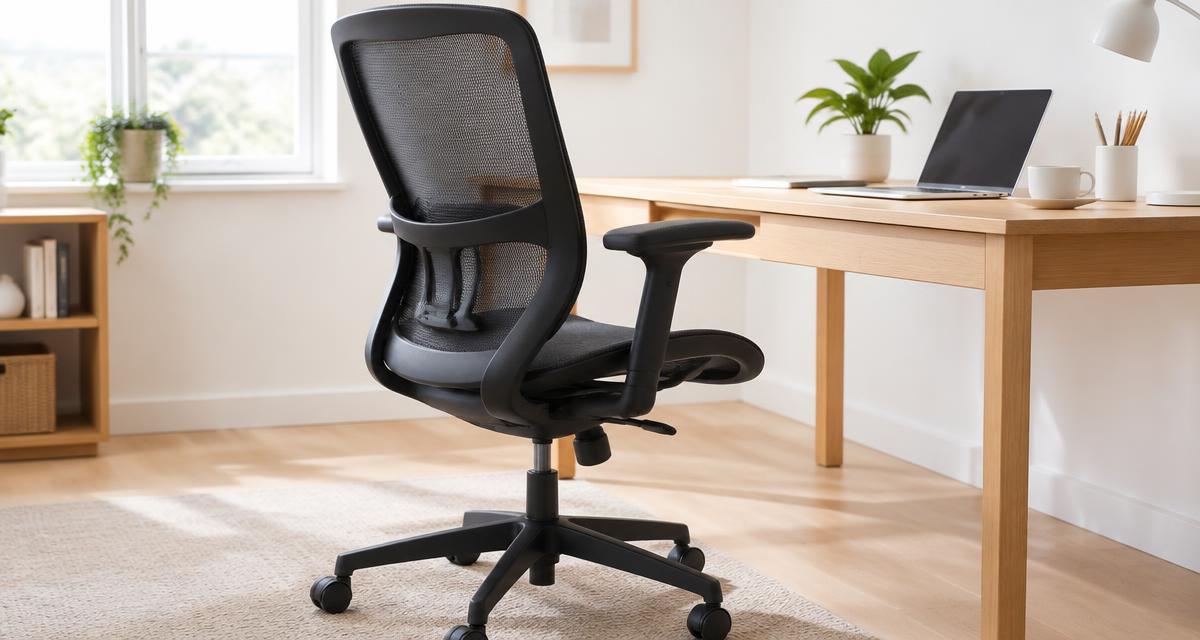
Illustrative image. This guide is research-based buying advice, not a hands-on product review.
Compare the top picks
| Product | Key specs | Pros | Cons | Check availability |
|---|---|---|---|---|
| Steelcase Series 2 |
|
|
| |
| Branch Ergonomic Chair |
|
|
| |
| HON Ignition 2.0 |
|
|
| |
| SIHOO M18 Ergonomic Office Chair |
|
|
| |
| MOLENTS Armless Task Office Chair |
|
|
|
Best ergonomic office chairs reviewed
Steelcase Series 2
A premium task chair built on Steelcase's commercial seating platform, offering a weight-activated recline mechanism and fully adjustable arms that suit long daily use in a home office.
- 4D arms adjust in height, width, depth, and pivot angle, with a 4-inch independent height range
- Seat height adjusts over a 5-inch range; seat depth adjusts about 2.75 inches
- Weight-activated Syncro-Tilt mechanism with a 3-position comfort dial (upright lock, boost tension, full recline)
- Adjustable lumbar support with a 3.75-inch height range on upholstered backs
- Optional height-adjustable headrest and choice of hard or soft dual-wheel casters
- Backed by Steelcase's long-running limited warranty covering 24/7 commercial use
Pros
- Highly adjustable arms and seat depth for a precise fit
- Durable commercial-grade construction meant for daily office use
- Wide range of frame, back, and upholstery options
Cons
- Costs more than most competitors on this list
- Assembly and adjustment options can feel complex for first-time buyers
Branch Ergonomic Chair
A mesh-back chair designed for all-day comfort with eight points of adjustment, a strong warranty, and a straightforward setup that fits most home desks.
- Eight points of adjustment including 3D removable armrests, seat height, seat depth, and tilt tension
- Height-adjustable and removable lumbar support pad
- Supports up to 275 pounds and meets BIFMA commercial-grade standards
- Seat height adjusts 17 to 21 inches; seat depth adjusts 18 to 22 inches
- Five-star anodized aluminum base with scratch-resistant nylon casters
- 3-year warranty on the standard chair, with longer coverage available on some components
Pros
- Removable armrests and lumbar pad let you customize fit
- Greenguard Gold certified for low chemical emissions
- Well-reviewed by independent buying guides and owners
Cons
- Best suited to users between roughly 5'2" and 6'2"
- No headrest included; it's a separate add-on
HON Ignition 2.0
A configurable mesh task chair from a major contract furniture maker, with a lifetime warranty and arm, lumbar, and tilt options you can tailor to your needs.
- 4-way stretch mesh back with optional adjustable lumbar support
- Synchro-tilt control available with or without seat slider; advanced synchro-tilt adds independent back angle
- Height- and width-adjustable arms, with a fully adjustable pivoting arm option
- Rated to support up to 300 pounds
- Seat height adjusts roughly 17 to 21.5 inches depending on the control chosen
- Backed by HON's Full Lifetime Warranty, including 24/7 use coverage
Pros
- Exceptional warranty coverage for a chair in its price range
- Many configuration choices for mechanism, arms, and lumbar
- Commercial-grade build intended for daily office use
Cons
- Sold through dealers, so comparing exact configurations takes extra research
- Base arms and headrest are optional rather than standard
SIHOO M18 Ergonomic Office Chair
A budget-friendly mesh chair with dual-adjustable lumbar support and a high weight rating, making it a practical starting point for a home office on a tight budget.
- Dual-adjustable lumbar support moves up/down and forward/backward
- Height- and angle-adjustable headrest and 2D adjustable armrests
- Supports up to 330 pounds and passed BIFMA testing
- Reclines up to 126 degrees with multi-stage angle locking
- W-shaped breathable mesh seat cushion and backrest
- 3-year warranty plus a 30-day return window from the manufacturer
Pros
- High weight capacity relative to its price point
- Dual-direction lumbar adjustment is uncommon at this price
- Reclines further than most budget chairs
Cons
- Armrests adjust in fewer directions than pricier chairs
- Materials and padding are noticeably lighter-duty than premium options
MOLENTS Armless Task Office Chair
A compact, armless mesh chair built to slide fully under a desk, making it a good fit for small home offices, dorms, or tight workstation corners.
- Overall footprint of about 21 inches wide by 21 inches deep for tight spaces
- Seat height adjusts from 16 to 20 inches via a gas lift cylinder
- Armless design so the chair tucks completely under most desks
- Molded lumbar support built into the backrest curve
- Five-star base with dual-wheel casters rated for carpet and hard floors
- Supports up to 250 pounds and passed BIFMA X5.1 testing
Pros
- Smallest footprint of the chairs in this guide
- Slides fully under a desk when not pulled out
- Simple assembly in about 10 minutes
Cons
- No armrests, which some users rely on for shoulder relief
- Lower weight capacity and fewer adjustment points than full-size chairs
What makes an office chair ergonomic
An ergonomic office chair is built to support the body's natural posture through a combination of adjustable parts rather than a single fixed shape. At minimum, that means a seat height you can set so your feet rest flat on the floor and your knees sit roughly level with your hips, along with some form of lower back (lumbar) support that you can position to match your spine's curve. Chairs that lack these basic adjustments tend to force a one-size-fits-all posture that rarely suits every body type.
Beyond the basics, higher-end ergonomic chairs add seat depth adjustment, adjustable armrests, and a tilt or recline mechanism with tension control. Seat depth adjustment matters because people of different heights need different amounts of thigh support; too deep a seat pan can dig into the back of the knees, while too shallow a seat leaves the thighs unsupported. Tilt tension and recline locks let you lean back to rest without the chair feeling unstable or springing back too quickly.
Materials also play a role in comfort over a full workday. Mesh backs promote airflow and tend to hold their shape well over years of use, while foam-padded seats in varying densities affect how pressure is distributed across the seat pan. None of these features guarantee comfort for every person, since body shape, desk setup, and sitting habits all factor in, but a chair with more adjustment points gives you a better chance of finding a configuration that actually works for you.
How to match a chair to your body and desk
Start with your height and typical desk height, since these two numbers constrain which seat height range will work. Most adjustable chairs cover a seat height range of roughly 16 to 21 inches, which fits a wide span of adult heights, but if you are notably shorter or taller than average it is worth checking a chair's exact published range rather than assuming it will fit.
Weight capacity is another number worth checking carefully, since manufacturers test chairs to a specific rated limit using standardized methods such as BIFMA testing. Chairs aimed at budget or compact use often cap out around 250 to 275 pounds, while sturdier commercial-grade chairs are frequently rated to 300 pounds or more. Choosing a chair with headroom above your body weight generally means sturdier components and a longer useful life.
Finally, think about how you actually sit during the day. If you recline frequently while reading or taking calls, prioritize a chair with adjustable tilt tension and a recline lock. If you keep your elbows on the armrests most of the day, adjustable arms that move in height, width, and depth will matter more than they would to someone who rarely uses armrests at all.
Mesh versus upholstered seating
Mesh-backed chairs, like most of the picks in this guide, use a taut woven fabric stretched over a frame instead of foam padding on the backrest. This design increases airflow around the back, which many owners find cooler during long sitting sessions, and the mesh itself tends to flex slightly to follow the back's shape as you move. The tradeoff is that mesh can feel firmer than foam to some sitters, and the quality of the weave varies a lot between budget and premium chairs.
Upholstered or foam-padded chairs, which are common in executive-style seating, generally feel softer and often look more traditional in a home office setting. They can retain heat more than mesh, and foam padding compresses over years of use, which can shorten the comfortable life of the cushion compared to a well-made mesh back. Neither style is objectively better; the right choice depends on personal preference, climate, and how many hours you spend seated each day.
Seat cushions are worth evaluating separately from the backrest material, since even mesh-back chairs typically use a foam seat pan. Higher-density foam tends to hold its shape longer under daily use, while lower-density foam may feel plush at first but compress more quickly. If you can, check owner reviews after a year or more of use rather than relying only on first-impression comfort.
Warranty and build quality signals
Warranty length is one of the more reliable, verifiable signals of how a manufacturer expects a chair to hold up over time. Commercial furniture brands that sell into offices often back their chairs with warranties covering many years of continuous daily use, sometimes including coverage for 24/7 use in shift-based workplaces. Direct-to-consumer brands frequently offer shorter but still meaningful multi-year warranties, while the most budget-oriented chairs tend to cluster around one to three years of coverage.
When comparing warranties, check what is actually covered rather than just the headline number of years. Some warranties cover the full chair for a shorter period but extend longer coverage specifically to the gas cylinder, tilt mechanism, or casters, since those are the parts most likely to wear out first. It is also worth checking whether buying through a third-party marketplace affects your warranty coverage, since a few manufacturers require proof of purchase or registration for claims made outside direct sales channels.
Independent certifications such as BIFMA testing (a set of US furniture industry standards for safety and durability) and Greenguard Gold certification (a test for low chemical emissions) are additional data points worth looking for on a product page. They do not replace a hands-on sense of comfort, but they do indicate the chair has been tested against recognized third-party benchmarks rather than only the manufacturer's own claims.
Setting up your chair correctly
Even a well-designed ergonomic chair will not help much if it is set up incorrectly. Begin by adjusting seat height so your feet sit flat on the floor with your knees at roughly a right angle, then adjust the desk or monitor if needed to match that seat height rather than the other way around. From there, set lumbar support so it sits in the natural curve of your lower back, not higher up near your shoulder blades.
Armrests, when present, should generally let your shoulders relax down rather than shrug upward, with your forearms roughly parallel to the desk surface. If the armrests cannot be lowered enough or get in the way of your desk, removable or fully retractable armrests (available on several chairs in this guide) can solve that problem without giving up the chair entirely.
It is also worth revisiting your chair's settings every few months, since posture habits and desk setups change over time. A chair that felt right when first assembled can start to feel off if a new monitor arm changes your eye line or if a standing desk changes how often you are actually seated. Treat the adjustments as something to revisit occasionally rather than a one-time setup task.
Frequently asked questions
What is the single most important adjustment on an ergonomic chair?
Seat height is usually the most important adjustment to get right first, since it determines whether your feet can rest flat on the floor and your knees sit at a comfortable angle. Once seat height is correct for your desk, lumbar support and armrest height become easier to dial in.
Do I need armrests on an ergonomic chair?
Armrests are helpful for some people but not essential for everyone. If you rest your arms often while typing or on calls, adjustable armrests that move in height and width can reduce shoulder strain. If your desk is low or you prefer your arms free while typing, an armless chair like the compact pick in this guide can be more practical, especially in tight spaces.
How do I know if a chair will support my weight safely?
Check the manufacturer's published weight capacity, which is typically based on standardized testing such as BIFMA certification. Choosing a chair rated comfortably above your body weight generally means sturdier components, including the gas cylinder, frame, and casters.
Is mesh or cushioned upholstery better for long sitting sessions?
Neither is universally better; mesh tends to stay cooler and holds its shape well over time, while cushioned upholstery can feel softer initially but may compress with years of use. Personal comfort preference and typical room temperature are often bigger factors than the material alone.
How long should an ergonomic chair's warranty be?
Warranty length varies widely by brand and price tier, from around one to three years on many budget chairs up to a decade or more on some commercial-grade chairs. Rather than comparing only the number of years, check which specific parts, such as the gas cylinder or mechanism, are included in that coverage.
Can a budget chair work for a full workday?
Many budget chairs, including options with BIFMA testing and multi-year warranties, are built for regular daily use and can work well for a full workday. The main tradeoffs tend to be fewer adjustment points and shorter warranty coverage compared with premium chairs, not necessarily a lack of basic comfort.