Best Mechanical Keyboards for Work and Typing
A practical guide to the best mechanical keyboards for work, from quiet wireless boards to hot-swappable budget picks for daily typing.
As an Amazon Associate I earn from qualifying purchases. Affiliate links may earn us a commission at no extra cost to you. Read our disclosure.
Quick Picks
Chosen from published specifications, manufacturer documentation, and owner feedback—not hands-on testing. Amazon links are coming soon.
Logitech MX Mechanical Wireless Illuminated Performance Keyboard
A full-size, low-profile mechanical keyboard built for office use, with quiet switch options, smart backlighting, and multi-device Bluetooth switching that suits anyone typing all day at a desk.
Redragon K552 Kumara RGB Mechanical Keyboard
A longtime budget favorite, the K552 Kumara packs a compact tenkeyless layout, full RGB backlighting, and genuine mechanical switches at a price that makes it an easy entry point for office typists on a tight budget.
Logitech MX Mechanical Mini Wireless Illuminated Keyboard
The 75% sibling of the MX Mechanical drops the numpad for a compact footprint, letting you keep your mouse closer and your posture more neutral while keeping the same quiet mechanical feel.
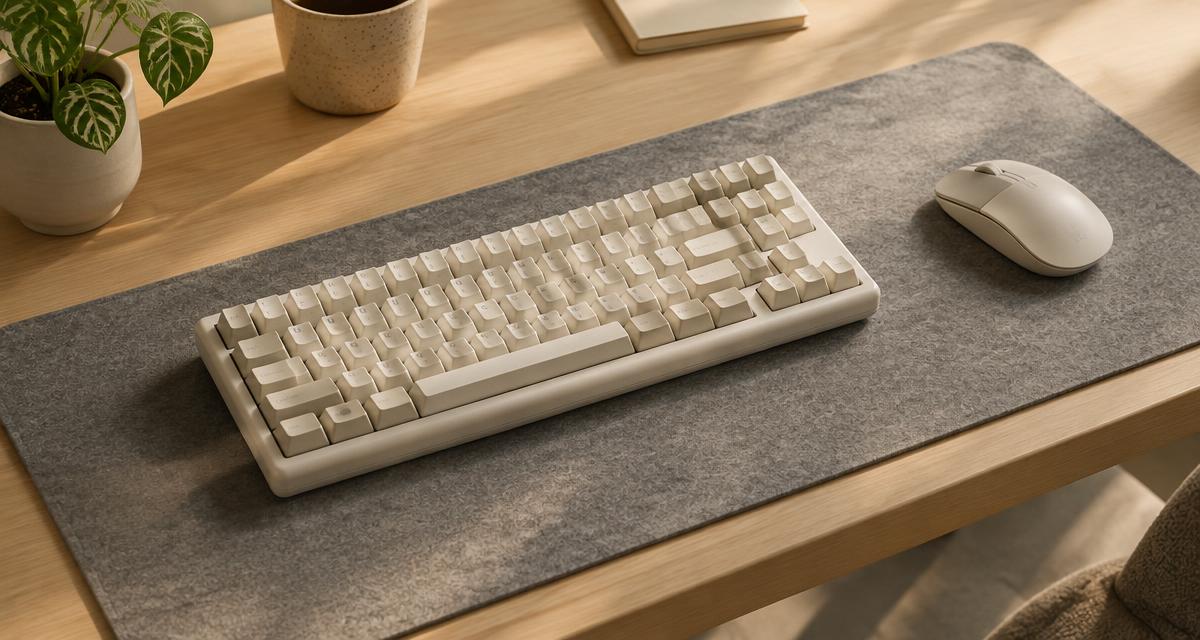
Illustrative image. This guide is research-based buying advice, not a hands-on product review.
Compare the top picks
| Product | Key specs | Pros | Cons | Check availability |
|---|---|---|---|---|
| Logitech MX Mechanical Wireless Illuminated Performance Keyboard |
|
|
| |
| Logitech MX Mechanical Mini Wireless Illuminated Keyboard |
|
|
| |
| Keychron V1 QMK/VIA Custom Mechanical Keyboard |
|
|
| |
| Keychron C3 Pro QMK/VIA Wired Mechanical Keyboard |
|
|
| |
| Redragon K552 Kumara RGB Mechanical Keyboard |
|
|
| |
| NuPhy Air75 V2 QMK/VIA Wireless Mechanical Keyboard |
|
|
|
Best mechanical keyboards for work and typing, reviewed
Logitech MX Mechanical Wireless Illuminated Performance Keyboard
A full-size, low-profile mechanical keyboard built for office use, with quiet switch options, smart backlighting, and multi-device Bluetooth switching that suits anyone typing all day at a desk.
- Full-size layout with numpad, 433.85 x 131.55 x 26.10 mm, 828 g
- Low-profile mechanical switches: Tactile Quiet, Clicky, or Linear options
- Connects via Logi Bolt USB receiver or Bluetooth Low Energy to up to 3 devices with Easy-Switch
- 1500 mAh battery rated up to 15 days with backlight on, 10 months with backlight off
- White backlighting with ambient light sensing and proximity activation
- Rated for 50 million keypresses; aluminum top plate with recycled plastic housing
Pros
- Quiet tactile switch option is genuinely office-friendly
- Long battery life and fast 4-hour recharge via USB-C
- Easy-Switch lets you hop between laptop, tablet, and desktop instantly
Cons
- Switches are soldered, not hot-swappable
- Low-profile feel is less deep than a standard mechanical board
- Numpad adds width that some desks or mouse arms won't appreciate
Logitech MX Mechanical Mini Wireless Illuminated Keyboard
The 75% sibling of the MX Mechanical drops the numpad for a compact footprint, letting you keep your mouse closer and your posture more neutral while keeping the same quiet mechanical feel.
- 75% layout without numpad, 312.60 x 131.55 x 26.10 mm, 612 g
- Low-profile mechanical switches: Tactile Quiet, Clicky, or Linear options
- Logi Bolt receiver or Bluetooth Low Energy, pairs with up to 3 devices via Easy-Switch
- 1500 mAh battery rated up to 15 days with backlight on, 10 months with backlight off
- White backlighting with automatic brightness adjustment
- Rated for 50 million keypresses; aluminum top plate and dual-color keycaps
Pros
- Compact 75% size frees up desk space for a centered mouse position
- Same reliable Easy-Switch multi-device pairing as the full-size model
- Backlight automatically adjusts and turns on when hands approach
Cons
- No numpad, which some spreadsheet-heavy users will miss
- Switches are not hot-swappable or user-replaceable
- Costs more than many full-featured hot-swap boards from other brands
Keychron V1 QMK/VIA Custom Mechanical Keyboard
A 75% wired keyboard with a gasket-mounted design, hot-swappable sockets, and a programmable knob, aimed at people who want a customizable typing experience without building a keyboard from scratch.
- 75% ANSI layout with rotary knob, wired USB-C connection, 1000 Hz polling rate
- Hot-swappable for 5-pin and 3-pin switches; ships with Keychron K Pro switches
- ABS plastic case with steel plate, tray mount, and sound-absorbing foam
- Double-shot PBT OSA-profile keycaps with Mac and Windows keycap sets included
- South-facing RGB backlighting with per-key customization
- Open-source QMK firmware with Keychron Launcher web app remapping, about 970 g
Pros
- Hot-swap sockets make switch experimentation easy without soldering
- QMK/VIA support allows deep remapping and macro programming
- Programmable knob is genuinely useful for volume or scrolling shortcuts
Cons
- Wired only, no Bluetooth or wireless option
- ABS case can feel less premium than aluminum alternatives
- Stock sound profile benefits from switch or foam mods to feel refined
Keychron C3 Pro QMK/VIA Wired Mechanical Keyboard
An affordable tenkeyless board with gasket-mount construction and QMK support, giving budget-minded buyers a taste of the custom keyboard feel without the custom keyboard price.
- 80% TKL ANSI layout, wired USB-C connection, 1000 Hz polling rate
- Keychron mechanical Red or Brown switches on the standard version, factory-lubed
- Gasket-mount design with ABS plastic case and steel plate for a softer typing feel
- OEM-profile double-shot ABS shine-through keycaps for Windows and macOS layouts
- North-facing red or RGB backlighting depending on version
- QMK open-source firmware; about 912 g; full N-key rollover
Pros
- Gasket mount gives a noticeably softer, quieter typing feel for the price
- QMK firmware support is rare in this price range
- Includes both Mac and Windows keycap sets out of the box
Cons
- Standard version isn't hot-swappable, so switches are fixed
- Wired-only, no wireless connectivity
- ABS keycaps will show shine faster than PBT over heavy daily use
Redragon K552 Kumara RGB Mechanical Keyboard
A longtime budget favorite, the K552 Kumara packs a compact tenkeyless layout, full RGB backlighting, and genuine mechanical switches at a price that makes it an easy entry point for office typists on a tight budget.
- 87-key tenkeyless (TKL) layout with a metal top plate over an ABS plastic case
- Outemu Red, Blue, or Brown mechanical switches, soldered to the PCB
- RGB backlighting with multiple effects and adjustable brightness
- Wired USB connection with a 6-foot braided cable
- 100% anti-ghosting with full N-key rollover for conflict-free input
- Dimensions roughly 35.4 x 12.3 x 3.7 cm, weighs about 0.88 kg
Pros
- Very low cost for a genuine mechanical switch typing experience
- Compact TKL footprint frees up desk space for a mouse
- Metal top plate adds sturdiness rarely seen at this price
Cons
- Switches are soldered, not hot-swappable, limiting future upgrades
- No software or macro support on Windows beyond basic key functions
- Backlight brightness and labeling can look less refined than pricier boards
NuPhy Air75 V2 QMK/VIA Wireless Mechanical Keyboard
A slim, low-profile wireless keyboard that mixes hot-swappable mechanical switches with tri-mode connectivity, appealing to people who want desktop-style typing feel in a slim, portable form.
- 75% ANSI layout, 316 x 132 x 13.5 mm, about 600 g
- Hot-swappable low-profile Gateron switches: Red, Brown, Blue, or NuPhy house switches
- Tri-mode connectivity: 2.4 GHz wireless receiver, Bluetooth, or wired USB-C, pairing up to 5 devices
- 1000 Hz polling rate in 2.4 GHz mode for low latency
- 4000 mAh battery with RGB backlighting and per-key customization
- QMK/VIA firmware support for remapping; compatible with Windows, macOS, and Linux
Pros
- Slim low-profile design feels great for long typing sessions
- Hot-swap sockets plus QMK/VIA give real customization despite the low profile
- Large 4000 mAh battery and flexible tri-mode connectivity
Cons
- Low-profile switches have shorter travel than standard mechanical switches, an adjustment for some typists
- Some users have reported occasional macOS connection bugs
- No numpad and limited height adjustment
What makes a mechanical keyboard good for work, not just gaming
Gaming-oriented mechanical keyboards tend to chase fast actuation and flashy lighting, but an office typing keyboard has different priorities. Noise matters more when you share a desk, a video call, or an open-plan office, so switch choice is one of the first things to check. Tactile or linear switches without a loud click, like Logitech's Tactile Quiet option or lubed Keychron switches, tend to work better in shared spaces than classic clicky blue switches, which are better suited to a home office or a private room.
Layout is the second major consideration. A full-size board with a numpad helps with spreadsheet-heavy work, while a tenkeyless (TKL) or 75% layout saves desk space and lets you keep your mouse closer to center, which can reduce shoulder strain over a full workday. Compact layouts also travel better if you move between a desk and a laptop bag.
Build quality and keycap material affect how the board holds up over months of continuous use. PBT keycaps resist shine and wear better than ABS, and a gasket-mounted or foam-dampened case typically feels softer and sounds less harsh than a bare tray-mount design. None of this is about gaming performance; it is about comfort and durability across thousands of keystrokes a day.
Wired vs. wireless for office use
Wireless keyboards reduce desk clutter and make it easy to switch between a laptop and a desktop monitor setup, which is common in hybrid work environments. Logitech's MX Mechanical line and the NuPhy Air75 V2 both support Bluetooth or a dedicated USB receiver, and both let you pair with multiple devices and switch between them with a button press, which is handy if you work across a personal laptop and a work computer.
Wired boards like the Keychron V1, Keychron C3 Pro, and Redragon K552 avoid any concerns about battery life or wireless latency, and they are usually less expensive for the features you get. If your workstation is fixed and you don't need to swap devices during the day, a wired board removes one more thing to think about, namely remembering to charge it.
Battery life varies a lot between wireless boards. The Logitech MX Mechanical models claim up to 15 days with the backlight on and around 10 months with it off, while the NuPhy Air75 V2 uses a larger 4000 mAh cell to support RGB lighting across its tri-mode connection options. If you plan to keep backlighting on constantly, check the manufacturer's specific battery estimate for that mode rather than assuming the headline number applies.
Switch types and typing feel explained
Mechanical switches generally fall into three families: linear, tactile, and clicky. Linear switches move smoothly from top to bottom with no bump or audible click, which many typists find fast and consistent, though it can make it harder to feel when a keystroke registers. Tactile switches add a bump partway through the press that you can feel without necessarily hearing, which many office workers prefer because it offers feedback without disturbing people nearby. Clicky switches add an audible click on top of the tactile bump and are the loudest option, best reserved for private workspaces.
Low-profile switches, used in the Logitech MX Mechanical line and the NuPhy Air75 V2, have shorter total travel than standard-height mechanical switches, often in the 3.0 to 3.4 mm range compared to roughly 4 mm on a typical switch. This gives a flatter, faster-feeling keystroke that some typists love and others find less satisfying, so it's worth trying before committing if you're switching from a standard-profile board.
If you want flexibility to experiment, look for a hot-swappable board, like the Keychron V1, Keychron C3 Pro 8K version, or NuPhy Air75 V2. Hot-swap sockets let you pull out stock switches with a simple tool and replace them with a different type, no soldering required, which is a good way to fine-tune feel and sound over time without buying a whole new keyboard.
Ergonomics and desk setup considerations
Keyboard size directly affects arm and shoulder posture. A full-size board pushes your mouse further to the right, which over a full workday can contribute to shoulder strain for some people. Switching to a tenkeyless or 75% layout, like the Logitech MX Mechanical Mini, Keychron V1, or Keychron C3 Pro, lets you bring the mouse closer to the keyboard's centerline, which many ergonomics guides recommend for reducing reach distance.
Keyboard height and tilt also matter. Low-profile boards sit closer to desk height and may reduce the need for a wrist rest, while taller mechanical boards with steep tilt angles can increase wrist extension if you don't have adjustable risers or a negative-tilt setup. If wrist comfort is a concern, consider boards with adjustable feet or pair any keyboard with a palm rest.
Finally, think about where the keyboard will live. If you move frequently between a home office and a coworking space or commute with a laptop, a lighter, more compact wireless board like the NuPhy Air75 V2 is easier to pack than a full-size wired board. If the keyboard stays in one place permanently, weight and portability matter much less than typing feel and build quality.
Connectivity, multi-device support, and software
Many modern work setups involve switching between a laptop, a desktop, and sometimes a tablet during the day. Keyboards with multi-device Bluetooth pairing, such as the Logitech MX Mechanical family with Easy-Switch or the NuPhy Air75 V2 with support for multiple paired devices, let you jump between machines with a key combination instead of re-pairing each time.
Software support differs significantly by brand. Logitech's Logi Options+ app lets you remap keys, adjust backlighting behavior, and manage Easy-Switch channels on Windows and macOS. Keychron's boards use the open-source QMK firmware along with a browser-based Launcher tool (or the separate VIA app) for remapping keys and recording macros without installing anything. Budget boards like the Redragon K552 generally skip dedicated remapping software, relying on built-in function-key shortcuts instead.
If customization and firmware-level programmability matter to you, prioritize QMK/VIA-compatible boards. If you'd rather have a polished, point-and-click software experience with strong multi-device support, the Logitech ecosystem is the more mature option.
Setting a budget without sacrificing daily comfort
You don't need to spend a lot to get a genuinely good typing experience. The Redragon K552 Kumara proves that real mechanical switches, N-key rollover, and RGB backlighting can come at a low cost, even if it skips hot-swap sockets and advanced software. For many people who type for a living but don't need wireless connectivity or deep customization, this kind of budget board is more than sufficient.
At the mid-range, Keychron's C3 Pro and V1 add QMK/VIA programmability and better build touches like gasket mounting or a programmable knob, which can meaningfully improve daily comfort and long-term flexibility for a modest price increase over entry-level boards.
At the higher end, Logitech's MX Mechanical series and the NuPhy Air75 V2 add wireless convenience, refined industrial design, and (in Logitech's case) particularly quiet switch options, which justify their price for people who value a polished all-in-one package over raw value. Decide which features (quiet switches, wireless multi-device support, hot-swap flexibility, or simple affordability) matter most to your workday before choosing where to spend.
Frequently asked questions
Are mechanical keyboards actually better for typing at work than membrane keyboards?
Many typists find mechanical switches offer more consistent actuation and tactile or auditory feedback that can reduce typos and typing fatigue over long sessions, based on published switch specifications and general owner feedback. That said, comfort is subjective, and some people type just as well on quality membrane or scissor-switch boards. If noise or deep clacky sound bothers your coworkers, choose a tactile-quiet or linear switch rather than a clicky one.
Will a mechanical keyboard be too loud for an open office?
It depends on the switch type. Clicky switches, like those found in some Redragon K552 variants, are the loudest and best suited to private offices or home setups. Tactile-quiet switches, such as Logitech's Tactile Quiet option on the MX Mechanical line, and most linear switches are considerably quieter and generally acceptable in shared workspaces, though no mechanical keyboard will be perfectly silent.
What's the difference between hot-swappable and soldered switches?
Hot-swappable keyboards have sockets on the circuit board that let you remove and replace switches with a simple puller tool, no soldering required, so you can try different switch feels over time. Soldered boards, like the standard Redragon K552 and base Logitech MX Mechanical models, ship with fixed switches that cannot be changed without rework. If you expect to experiment with switch feel later, prioritize a hot-swappable board like the Keychron V1, C3 Pro, or NuPhy Air75 V2.
Do I need a full-size keyboard with a numpad for office work?
Only if you do frequent numeric entry, such as data entry or spreadsheet-heavy accounting work, where a numpad genuinely speeds things up. Otherwise, a tenkeyless (TKL) or 75% layout saves desk space and lets you position your mouse closer to center, which many ergonomics guides suggest can reduce shoulder strain over a workday.
How long does a wireless mechanical keyboard's battery actually last?
It varies by model and backlight use. Logitech states its MX Mechanical and MX Mechanical Mini batteries last up to about 15 days with backlighting on and roughly 10 months with it off, based on a 1500 mAh cell. The NuPhy Air75 V2 uses a larger 4000 mAh battery to support RGB lighting across 2.4 GHz, Bluetooth, and wired modes, with published lights-on estimates in the range of a few dozen hours depending on brightness. Always check the manufacturer's specific battery claim for the lighting mode you plan to use.
Can these keyboards work with both Mac and Windows?
Most of the keyboards here support both operating systems. Logitech's MX Mechanical and MX Mechanical Mini work across Windows, macOS, Linux, iOS, and Android through Logi Options+ or basic HID support. Keychron's V1 and C3 Pro ship with swappable keycap sets for Mac and Windows and include an FN-key shortcut to toggle the OS layer. The NuPhy Air75 V2 lists compatibility with Windows, macOS, and Linux as well. The Redragon K552 is primarily built for Windows, with only limited functionality on macOS.