Best Webcams and Lighting for Video Calls
Compare top-rated webcams and lighting kits for video calls, including picks for budget shoppers and small spaces.
As an Amazon Associate I earn from qualifying purchases. Affiliate links may earn us a commission at no extra cost to you. Read our disclosure.
Quick Picks
Chosen from published specifications, manufacturer documentation, and owner feedback—not hands-on testing. Amazon links are coming soon.
Logitech Brio 500 Webcam
A full-featured 1080p webcam with automatic light correction and auto-framing that makes it an easy all-around choice for daily video calls.
Logitech C920s HD Pro Webcam
A long-running budget favorite that still delivers sharp 1080p video and a snap-on privacy shutter for a lower cost than newer Logitech models.
Lume Cube Video Conference Lighting Kit
A pocket-sized panel light with a suction-cup monitor mount, ideal for anyone who needs flattering light without giving up desk space.
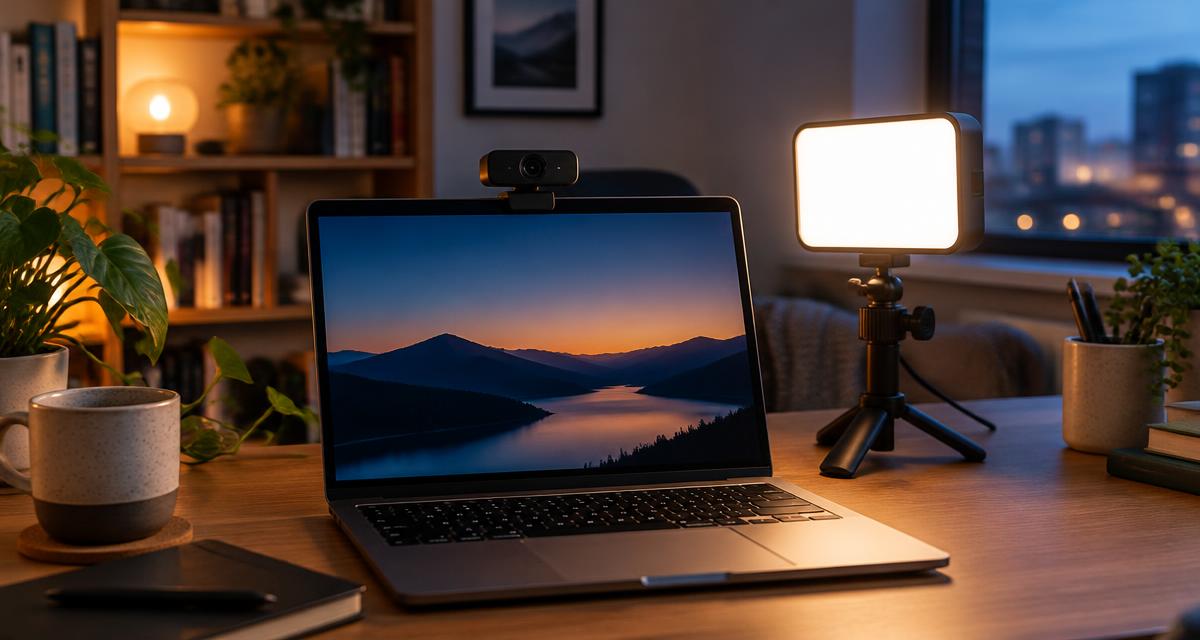
Illustrative image. This guide is research-based buying advice, not a hands-on product review.
Compare the top picks
| Product | Key specs | Pros | Cons | Check availability |
|---|---|---|---|---|
| Logitech Brio 500 Webcam |
|
|
| |
| Logitech C920s HD Pro Webcam |
|
|
| |
| Anker PowerConf C200 Webcam |
|
|
| |
| Elgato Key Light Air |
|
|
| |
| Lume Cube Video Conference Lighting Kit |
|
|
|
Webcam and lighting reviews for video calls
Logitech Brio 500 Webcam
A full-featured 1080p webcam with automatic light correction and auto-framing that makes it an easy all-around choice for daily video calls.
- 1080p at 30fps or 720p at 60fps resolution
- 90-degree diagonal field of view with 65/78/90 degree software options
- RightLight 4 auto light correction with HDR
- Dual noise-reducing stereo microphones with 4 ft mic range
- Integrated privacy shutter and USB-C connection
- 4x digital zoom with autofocus glass lens
Pros
- Strong automatic exposure in mixed lighting
- Compact clip mount fits laptops and monitors
- Built-in privacy shutter for quick coverage
Cons
- Advanced framing features need the Logi Tune app
- Only USB-C, so some older laptops need an adapter
Logitech C920s HD Pro Webcam
A long-running budget favorite that still delivers sharp 1080p video and a snap-on privacy shutter for a lower cost than newer Logitech models.
- 1080p at 30fps or 720p at 30fps resolution
- 78-degree diagonal field of view
- Five-element glass lens with autofocus
- Stereo dual microphones on either side of the lens
- Attachable privacy shutter and universal mounting clip
- 5 ft attached USB-A cable with tripod-ready mount
Pros
- Reliable image quality for the cost
- Simple plug-and-play USB-A setup
- Privacy shutter included in the box
Cons
- No auto-framing or AI features
- Fixed field of view with no software zoom presets
- USB-A cable may need an adapter on newer laptops
Anker PowerConf C200 Webcam
A compact 2K webcam with a built-in slide privacy cover and a larger aperture that helps it hold up in dim home offices without extra lighting.
- 2K (QHD) resolution with autofocus lens
- Adjustable field of view: 65, 78, or 95 degrees via software
- Dual microphones with AI noise cancellation
- Built-in slide privacy cover switch
- USB-C to USB-A cable with adjustable clip or tripod mount
- Larger aperture for better low-light performance
Pros
- Compact body that suits tight desk setups
- Slide privacy cover needs no extra accessory
- Adjustable field of view for solo or group calls
Cons
- AnkerWork software lacks virtual background support
- No manual white balance control
Elgato Key Light Air
A slim, high-output LED panel that mounts beside a monitor and app-controls brightness and color temperature for consistent, flattering video-call light.
- Up to 1400 lumens of adjustable brightness
- Color temperature range of 2900 to 7000 K
- CRI rating above 94 percent for accurate skin tones
- 80 premium LEDs with edge-lit diffusion panel
- Wi-Fi app control via Elgato Control Center (2.4 GHz)
- Telescoping pole mount, adjustable from about 24 to 35 inches
Pros
- App control for precise brightness and color tuning
- Soft, even light reduces harsh shadows
- Sturdy pole and base stand for desk setups
Cons
- Requires a dedicated power adapter and outlet access
- Larger footprint than a clip-on light
- Wi-Fi setup is an extra step versus a plug-in light
Lume Cube Video Conference Lighting Kit
A pocket-sized panel light with a suction-cup monitor mount, ideal for anyone who needs flattering light without giving up desk space.
- Adjustable color temperature from 3200 to 5600 K
- 96+ CRI rating for accurate color rendering
- 1 to 100 percent brightness adjustment
- Built-in rechargeable battery, about 1.2 hours at full brightness
- Aluminum housing, approximately 3.5 x 2 inches
- Suction cup mount attaches to the back of a laptop or monitor
Pros
- Extremely compact and easy to store or travel with
- Mounts directly to a monitor without a stand
- Rechargeable battery means no cable clutter
Cons
- Shorter runtime than plug-in lights at full brightness
- Smaller panel produces a tighter light spread than larger key lights
Why lighting matters as much as resolution
Many people assume a sharper webcam automatically means a better video call, but lighting has a bigger effect on how clear and professional someone looks on camera. A 1080p webcam in a dim room with a window behind the speaker will produce a grainy, backlit image, while even a modest camera in well-lit conditions looks crisp and natural. That is because webcam image sensors are small, so they need adequate light to avoid noise and motion blur, especially in rooms with overhead lighting only.
The most common video-call lighting mistake is relying on a ceiling light or window behind the camera, which creates silhouettes and makes faces hard to see. Positioning a light source in front of the speaker, roughly at or slightly above eye level, evens out shadows under the eyes and chin. A single front-facing light, like a panel or clip-on LED, usually solves this problem more effectively than trying to buy a better camera.
Color temperature also matters for how natural skin tones look. Lights in the 4000 to 5000 K range tend to read as neutral white on camera, while very warm or very cool settings can wash out skin tones or make a room look artificially staged. Lights with adjustable color temperature, like the Elgato Key Light Air and Lume Cube kit in this guide, let a user match the room's existing light so there is no obvious color mismatch between the subject and the background.
Webcam resolution and field of view explained
Resolution describes how much visual detail a camera can capture, and for video calls 1080p (Full HD) is the practical standard; it looks notably sharper than 720p without requiring excessive bandwidth. Some newer webcams, like the Anker PowerConf C200, offer 2K resolution, which can look slightly crisper on larger displays, though most video platforms compress the stream enough that the difference from 1080p is modest in everyday calls.
Field of view (FOV) determines how much of the room the camera captures. A narrower FOV, around 65 to 78 degrees, frames a single person closely and is usually more flattering since it avoids a wide-angle distortion effect near the edges of the frame. A wider FOV, 90 degrees or more, works better for two or three people sharing a desk, or for a loosely framed home-office setup where the camera sits farther from the speaker.
Several webcams, including the Brio 500 and PowerConf C200, let a user choose between multiple FOV settings in software rather than locking in one angle. That flexibility is useful if a workspace changes, such as switching between a standing desk and a shared conference room setup, since it avoids needing to physically reposition the camera every time.
Privacy features and build quality to check
Nearly every webcam sold today for remote work includes some form of physical privacy cover, either an attached sliding shutter or a snap-on cap, and it is worth confirming this before buying since software-only camera toggles can be bypassed by misbehaving apps. The C920s ships with a removable privacy shutter, the Brio 500 and PowerConf C200 both include an integrated sliding cover, and all three let a user physically block the lens without unplugging the camera.
Build materials affect how a webcam or light holds up to daily repositioning. Metal or reinforced plastic clip mounts tend to grip monitors and laptop lids more securely over time than thin plastic clips that can loosen with repeated adjustment. Checking a product's mounting hardware description, including clip material and whether it includes a standard quarter-inch tripod thread, is a useful way to judge long-term durability before purchase.
Cable type is another practical detail. Webcams that use USB-C, like the Brio 500 and PowerConf C200, connect to newer laptops directly but may need an adapter for older desktops with only USB-A ports; the reverse is true for USB-A webcams like the C920s on newer laptops that have phased out that port. Checking the included cable and connector type against an existing computer's ports avoids an unplanned adapter purchase.
Matching gear to how often you're on camera
Someone who takes a handful of video calls per week has different needs than someone who is on camera most of the day, such as a remote sales rep or a streamer. For occasional callers, a budget webcam like the C920s paired with a small clip-on light covers the basics without extra expense, since the time savings from auto-framing or AI noise reduction add up slowly at low call volume.
For people on camera frequently, features like auto-framing, a wider dynamic range for mixed lighting, and app-based control of a light's brightness and color save real time across many calls a week. The Brio 500's auto light correction and the Key Light Air's app-adjustable brightness both reduce the need to manually tweak settings before each meeting, which adds up when someone joins several calls daily in rooms with different lighting conditions throughout the day.
It is also worth considering whether a webcam or light will travel between locations, such as a home office and a co-working space. Lighter, battery-powered gear like the Lume Cube kit or a compact webcam with a universal clip mount is easier to pack and reposition than a larger panel light or desktop camera with a bulky fixed stand.
Setting up your camera and light together
Camera height and light placement work together, so it helps to set up both at the same time rather than adjusting one in isolation. A webcam mounted at or slightly above eye level generally looks most natural, avoiding the double-chin effect of a camera placed too low on a laptop. Once the camera position is set, placing the light source slightly behind and to the side of the camera, angled toward the face, fills in shadows without creating a flat, overly bright look straight-on.
It is common to need only one light source for a basic video-call setup rather than a full multi-light arrangement used in photography or film. A single front-facing panel or clip-on light, combined with ordinary room light, is usually enough to remove harsh shadows and backlighting for a professional appearance on calls.
Finally, it is worth testing a new camera and light combination in an actual video-calling app, such as Zoom or Google Meet, since built-in software in some apps applies its own exposure and color adjustments on top of the hardware. A quick test call to a colleague or a self-view recording can reveal issues, like washed-out skin tones or an overly narrow field of view, before an important meeting.
Frequently asked questions
Do I need both a new webcam and a light, or can one fix bad video quality?
In most cases, improving lighting makes a bigger visible difference than upgrading the webcam alone, since even an older camera looks better with front-facing light. If budget is limited, start with a compact light and keep an existing webcam; add a new camera later if resolution or field of view still feels limiting.
What resolution is actually necessary for video calls?
1080p is sufficient for virtually all video-calling platforms, since most services compress video during a live call regardless of the camera's native resolution. Higher resolutions like 2K can help slightly for recorded video or very large displays, but the difference during a live call is usually minor.
Is a wider field of view always better?
Not necessarily. A wide field of view is helpful for framing multiple people or showing more of a desk setup, but it can make a single speaker look smaller and farther away and introduce slight distortion at the frame edges. A narrower 65 to 78 degree view is usually more flattering for one person sitting close to the camera.
Can I use a desk lamp instead of a dedicated video light?
A standard desk lamp can work as a budget substitute, especially if it has a warm-to-neutral bulb and can be angled toward the face. Dedicated video lights have an advantage in adjustable color temperature and even, diffused output, which reduces harsh shadows that a bare lamp bulb tends to create.
How important is a physical privacy shutter on a webcam?
A physical shutter adds a reliable layer of privacy beyond software camera permissions, since it blocks the lens regardless of which app or malware might otherwise access the camera. It is a low-cost feature worth prioritizing for anyone concerned about unauthorized camera access.
Will a battery-powered light provide enough brightness for a full workday of calls?
Battery-powered lights like the Lume Cube kit typically run one to a few hours at full brightness, which covers scattered meetings but may need recharging during a day full of back-to-back calls. For all-day heavy use, a plug-in light such as the Key Light Air avoids battery management entirely.